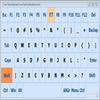
Customize keyboard shortcuts to launch apps, control windows, and reduce mouse dependence efficiently
Customize keyboard shortcuts to launch apps, control windows, and reduce mouse dependence efficiently
Vote (8 votes)
Program license Free
Developer Camiweb
Version 2.4.4
Works under Windows
Vote
(8 votes)
Developer
Camiweb
Works under
Windows
Program license
Free
Version
2.4.4
Pros
- Extremely customizable shortcut system
- Wide range of functions for programs, files, and windows
- Increases productivity and accessibility
- Minimal resource usage
- Regular bug fixes and updates
Cons
- Interface feels outdated
- Steep learning curve for beginners
- Lacks detailed documentation for some advanced features
Take full control of your Windows with powerful keyboard shortcuts.
Overview
ZenKEY is a feature-rich productivity tool for Windows users looking to optimize workflow through the use of customizable keyboard shortcuts. By enabling quick commands for a diverse array of system operations and software control, ZenKEY aims to reduce reliance on the mouse and enhance efficiency, particularly for those seeking improved accessibility or dealing with repetitive strain.
Key Features
ZenKEY centers on its robust shortcut management system. Users can assign hotkeys to an extensive range of actions, such as launching applications, opening files or folders, accessing specific websites, and executing system commands like minimizing, maximizing, or moving windows. The intuitive configuration pane makes it possible to personalize commands for both common tasks and unique workflows.
In addition to keyboard control, ZenKEY augments mouse input by supporting functions beyond standard clicks, such as activating clipboard operations and selecting hyperlinks. For users who prefer a keyboard-focused setup, the software’s comprehensive features cover nearly all daily tasks, including browser searches and media playback.
The utility integrates menu customization and offers a "ZenBAR" mode, a floating toolbar that allows for quick access to assigned tasks. Window management is also a strong point, providing options to resize, reposition, or organize open windows on the desktop with simple keystrokes. Advanced users will appreciate the ability to issue command-line instructions or access certain lesser-known Windows utilities directly through ZenKEY’s interface.
Ease of Use
ZenKEY’s user interface favors function over form, with its focus on straightforward navigation and configuration. While the software may initially present a learning curve for beginners, the clearly categorized menus and detailed action list help streamline the setup process. Context-sensitive help and thorough documentation provide additional guidance.
Performance
Resource consumption remains minimal, making ZenKEY suitable for use on older systems as well as more modern machines. Actions are executed quickly, and the recent updates address minor glitches related to icon transparency and desktop window management, offering a smoother experience.
Utility and Use Cases
ZenKEY is well-suited to users who want to speed up routine computing tasks or have limited use of a mouse. Developers, power users, and individuals with accessibility needs will benefit from its highly customizable commands. For those already using a multimedia keyboard, the ability to control media playback is redundant, but ZenKEY’s broader scope covers much more than simple audio functions.
Limitations
Some interface elements appear dated, and the breadth of features may be overwhelming for casual users. While the software enables access to hidden Windows options, it doesn’t always clarify these functions within the interface. Occasional trial and error may be needed to fine-tune more advanced commands.
Pros
- Extremely customizable shortcut system
- Wide range of functions for programs, files, and windows
- Increases productivity and accessibility
- Minimal resource usage
- Regular bug fixes and updates
Cons
- Interface feels outdated
- Steep learning curve for beginners
- Lacks detailed documentation for some advanced features